How to vote and submit Once Human Co-Dev feedback in-game (PC, Mobile & Console)
You can use the Once Human feedback portal entirely in-game on PC, mobile, and console. Use it to vote for community suggestions, submit your own ideas, report bugs, and check your feedback history.
Quick instructions for every platform
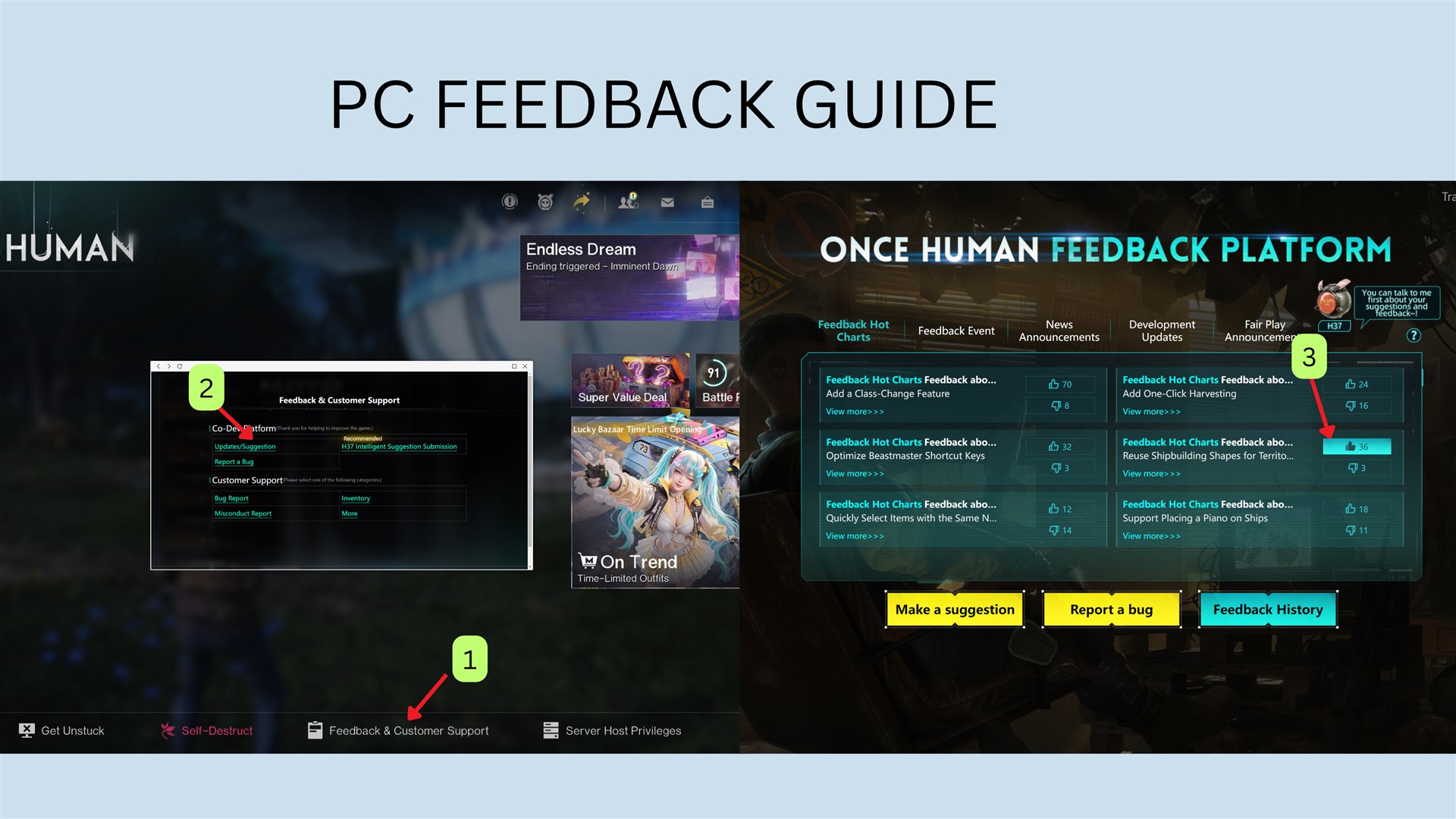
PC
Esc → Feedback & Customer Support → Updates/Suggestion → Feedback Hot Charts
Find “Reuse Shipbuilding Shapes for Territory Building” and press the thumbs-up button.
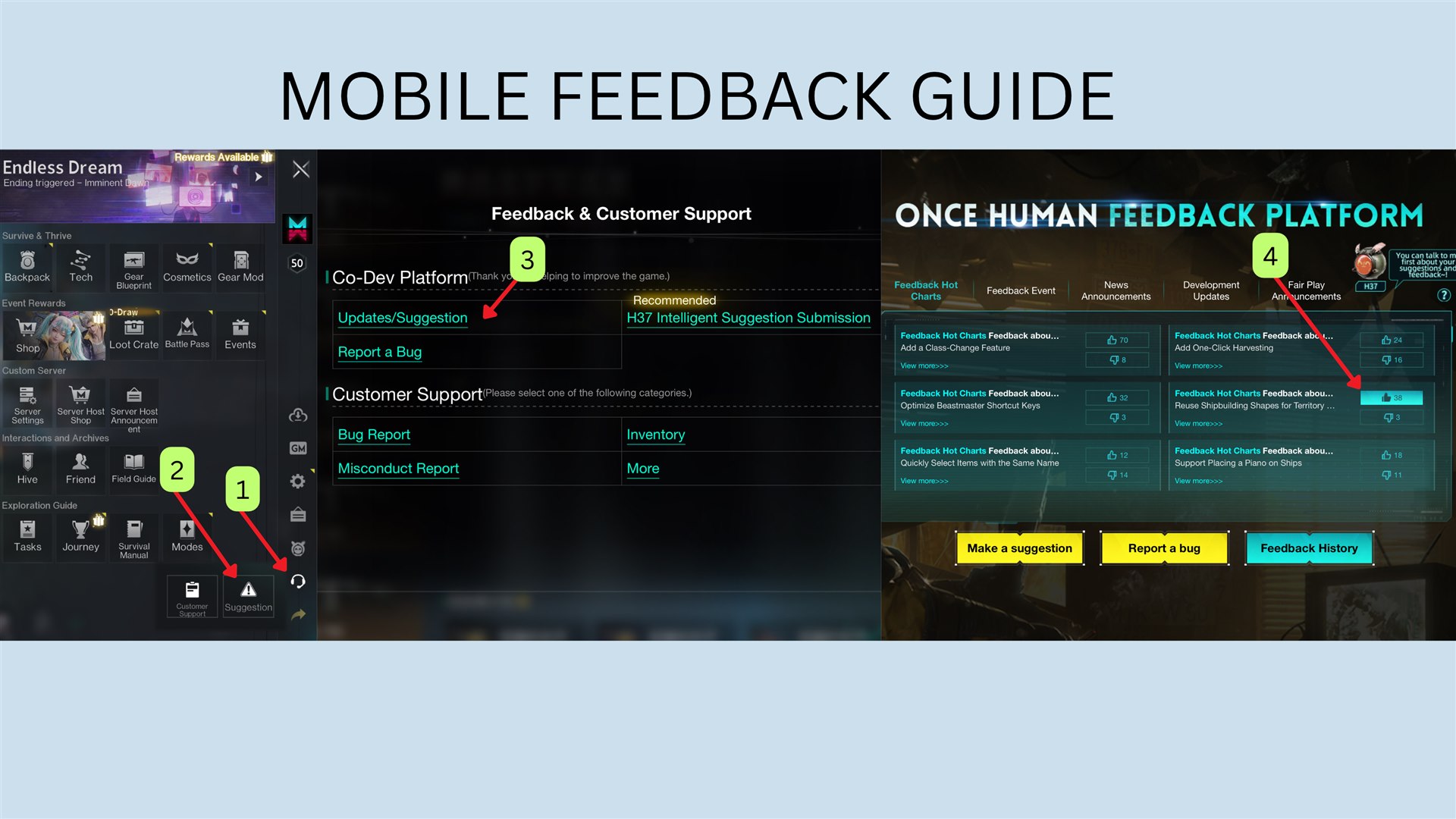
Mobile
Menu → Headphones icon → Suggestion → Feedback Hot Charts
Find “Reuse Shipbuilding Shapes for Territory Building” and press the thumbs-up button.
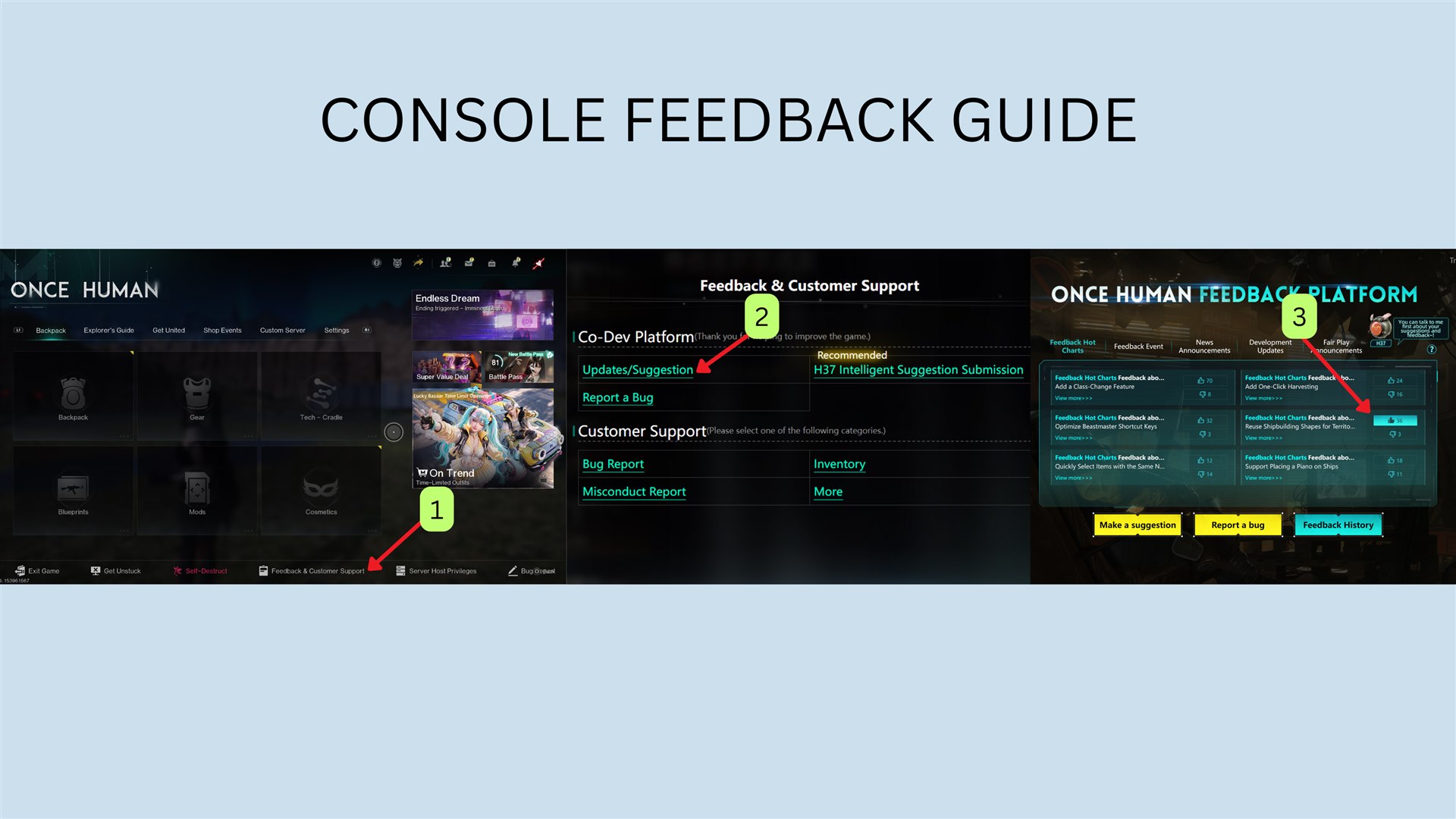
Console
Menu → Feedback & Customer Support → Updates/Suggestion → Feedback Hot Charts
Find “Reuse Shipbuilding Shapes for Territory Building” and press the thumbs-up button.
How to submit your own suggestion or bug report
- Open the in-game feedback portal using the route for your platform above.
- Choose Updates/Suggestion or Suggestion for an idea. For a bug, choose the available bug-report or Customer Support route.
- Explain one issue per submission. Include what happened, what you expected, your platform and server, and who the proposed change would help.
- Add a clear screenshot or video when useful. Remove passwords, account details, and other private information.
- Submit the report, then open Feedback History if you need its Order Number.
Find your Co-Dev Order Number
Open Feedback History, locate your entry, and copy its Order Number, including the first letter. This is your feedback/report ID—not your character UID or Discord user ID.
If the in-game menu is temporarily unavailable, you can use the official Once Human Co-Dev Feedback Platform.
Share your report with Once Architect
After submitting it officially, post your report in our Discord bugs & feedback channel. Include your Order Number when one is available. The Once Architect Community Tracker displays approved community reports; it is not official Once Human support.