Skip to content

BUILD · SHARE · BE INSPIRED · A GLOBAL ONCE HUMAN BUILDING COMMUNITY

OAONCE
ARCHITECT

Bugs & Requests

社区bug、建议与临时解决方案。

🌐 Language / 语言

由社区维护的反馈追踪平台,与《七日世界》官方客服无隶属关系。

社区bug与建议追踪

仅展示已审核反馈。请在Discord提交bug与建议。

+ 加入Discord提交反馈 已加入? 打开 #bugs-n-feedback →

📣 Community Priority Reports社区希望优先处理的bug与建议。查看社区重点反馈 →
清除筛选
Board columns show matching reports on the current page.

共8条匹配反馈 · 当前显示8条 · 每页10条

B00050

修复领土中的灯光闪烁

bug正式服和自定义服务器 有临时解决方案↓

OA-5308 · 更新于 29 Oct 2026

▼ 展开完整详情▲ 收起详情
反馈平台编号: B00050分享反馈 ↗

1. 问题/建议描述

修复领土中的灯光闪烁。
灯光闪烁需要解决,尤其是付费灯光道具。灯光数量过多或未公开的限制不应导致闪烁。我们期望付费道具正常工作。

2. 临时解决方案

保持黑暗或减少附近领土的灯光

3. 最新进展

暂无更新。

4. 截图与视频证据

S00049

光域全息设备 - 添加全彩或蓝色全息选项

建议正式服和自定义服务器暂无已知临时解决方案

OA-5302 · 更新于 29 Oct 2026

▼ 展开完整详情▲ 收起详情
反馈平台编号: S00049分享反馈 ↗

1. 问题/建议描述

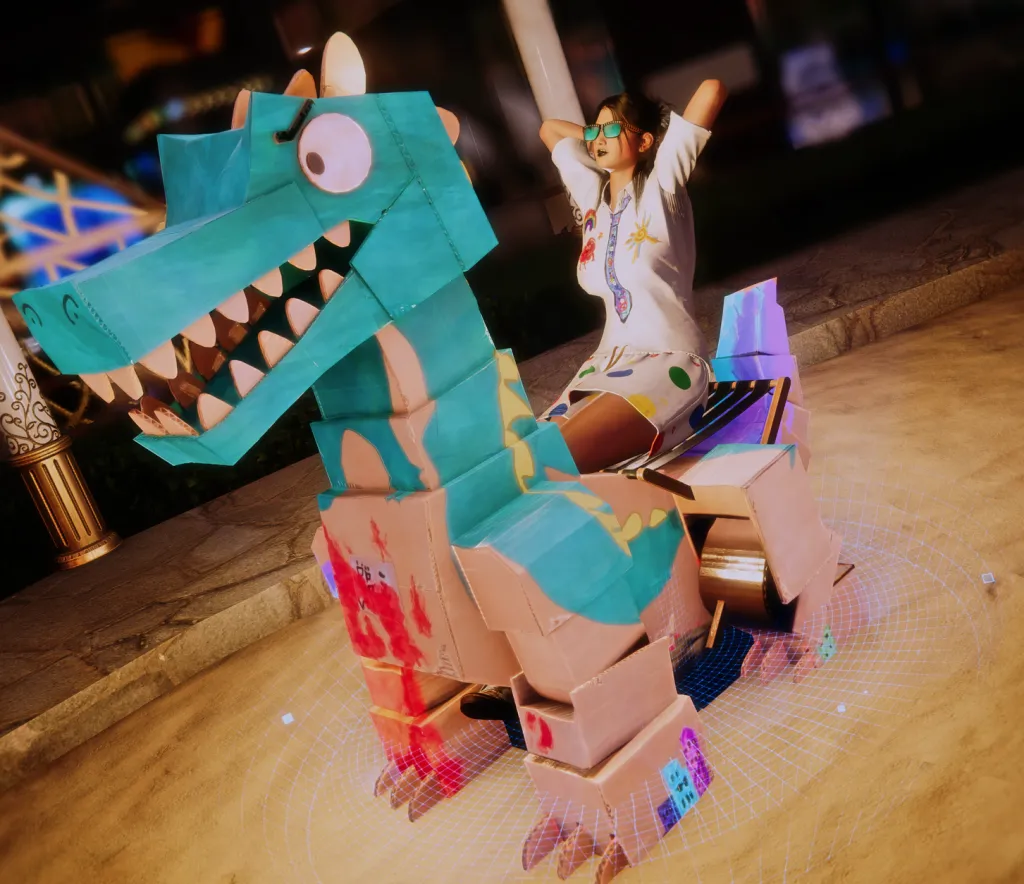
光域全息设备 - 添加全彩或蓝色全息选项

1. 更新允许完全渲染的静态偏差,效果在建筑中非常好。部分玩家仍然更喜欢蓝色全息效果,请允许我们在两种风格之间切换,而不是仅限于一种。

2. 临时解决方案

暂无已知临时解决方案。

3. 最新进展

暂无更新。

4. 截图与视频证据
Screenshot evidence submitted for this report
B00048

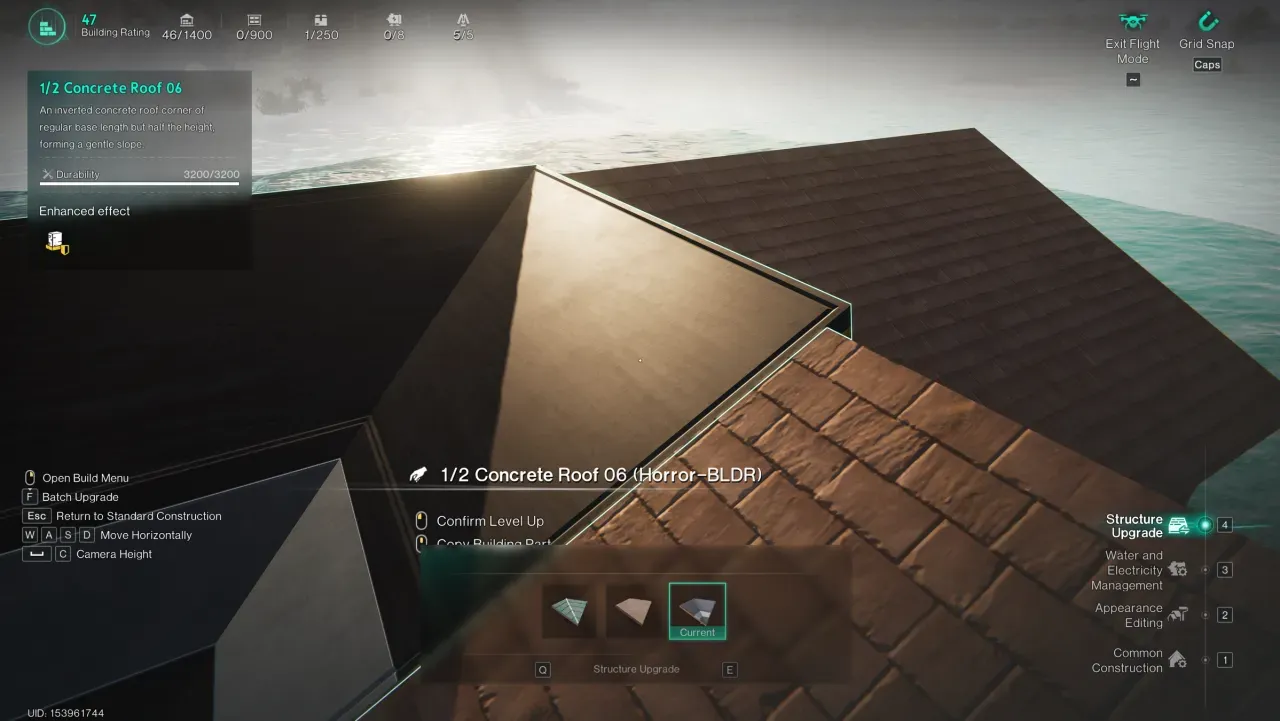
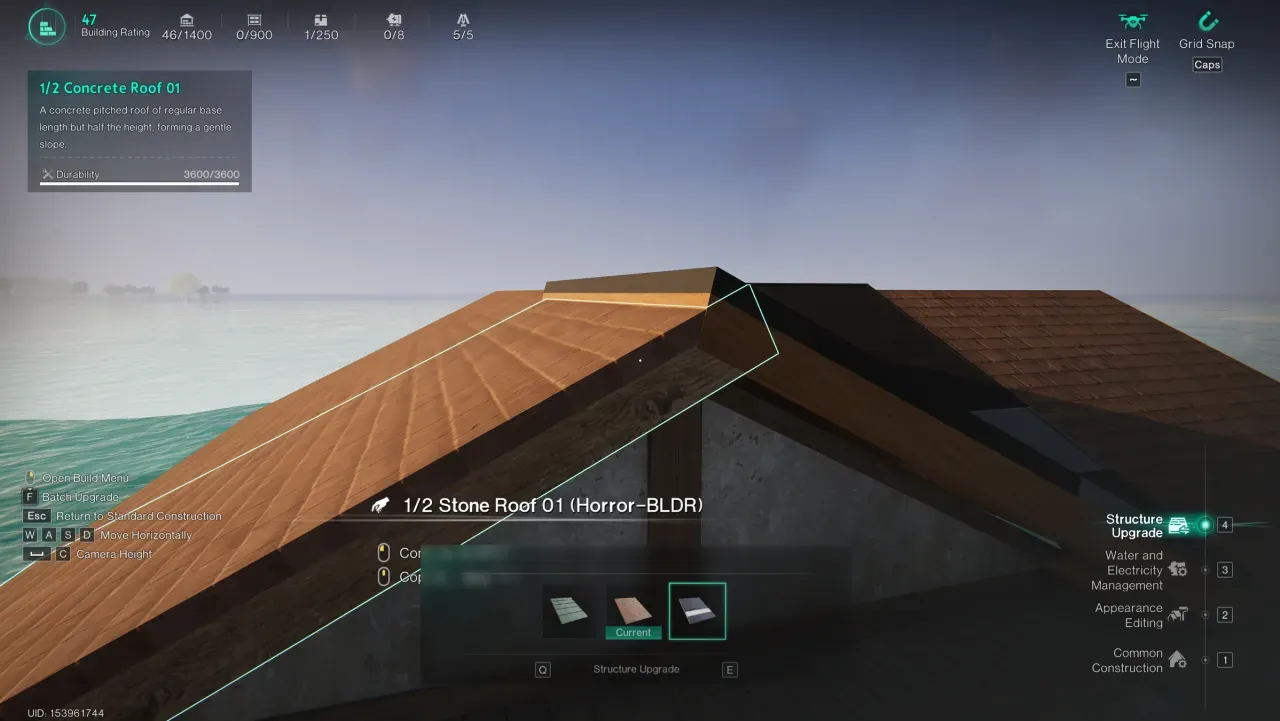
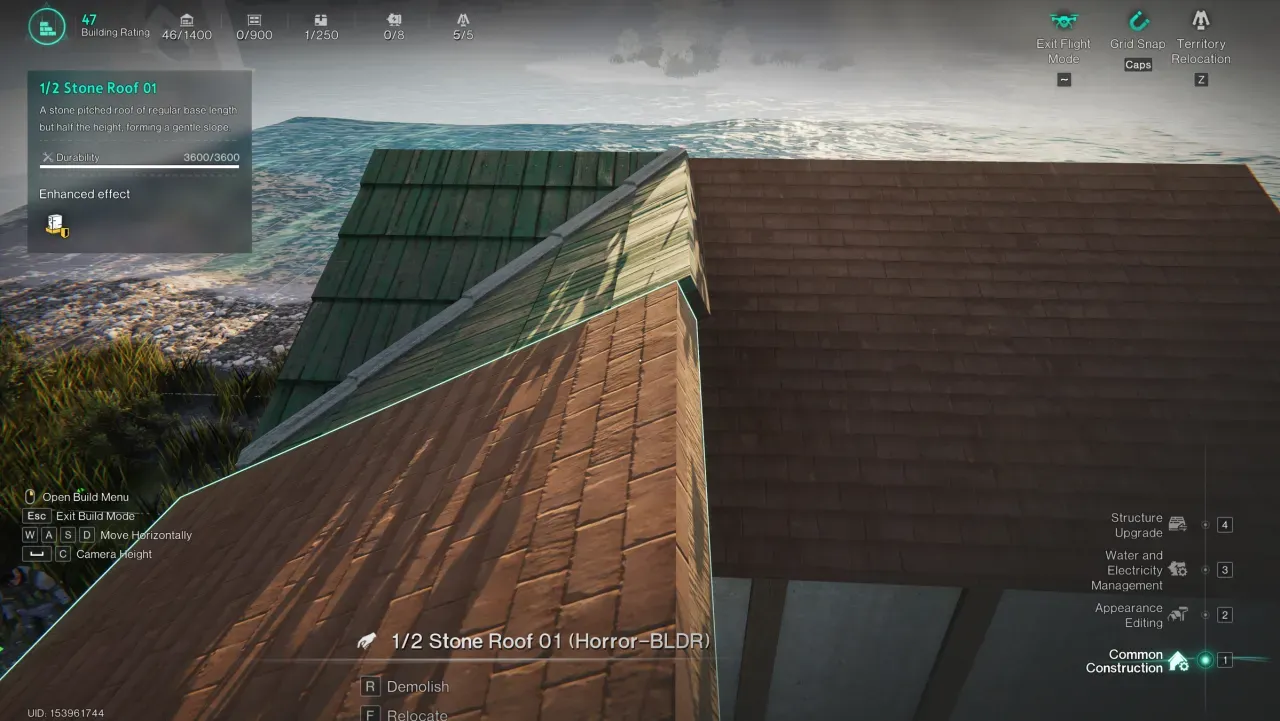
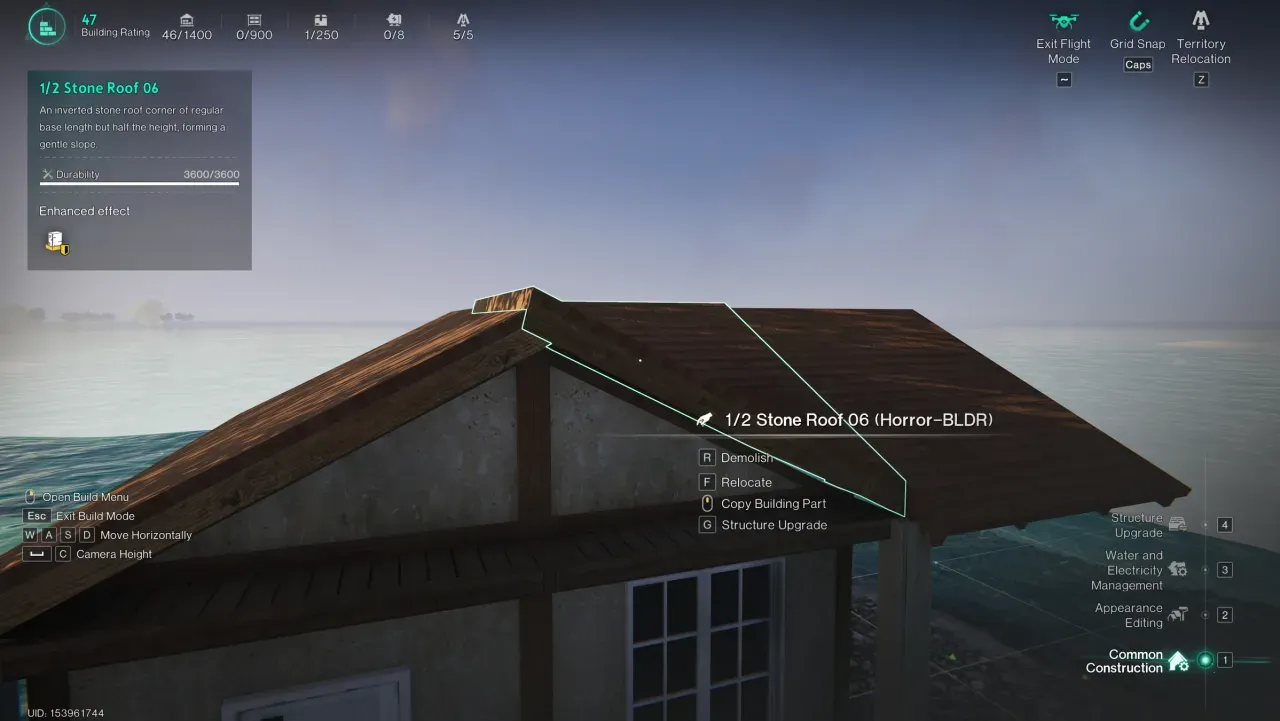
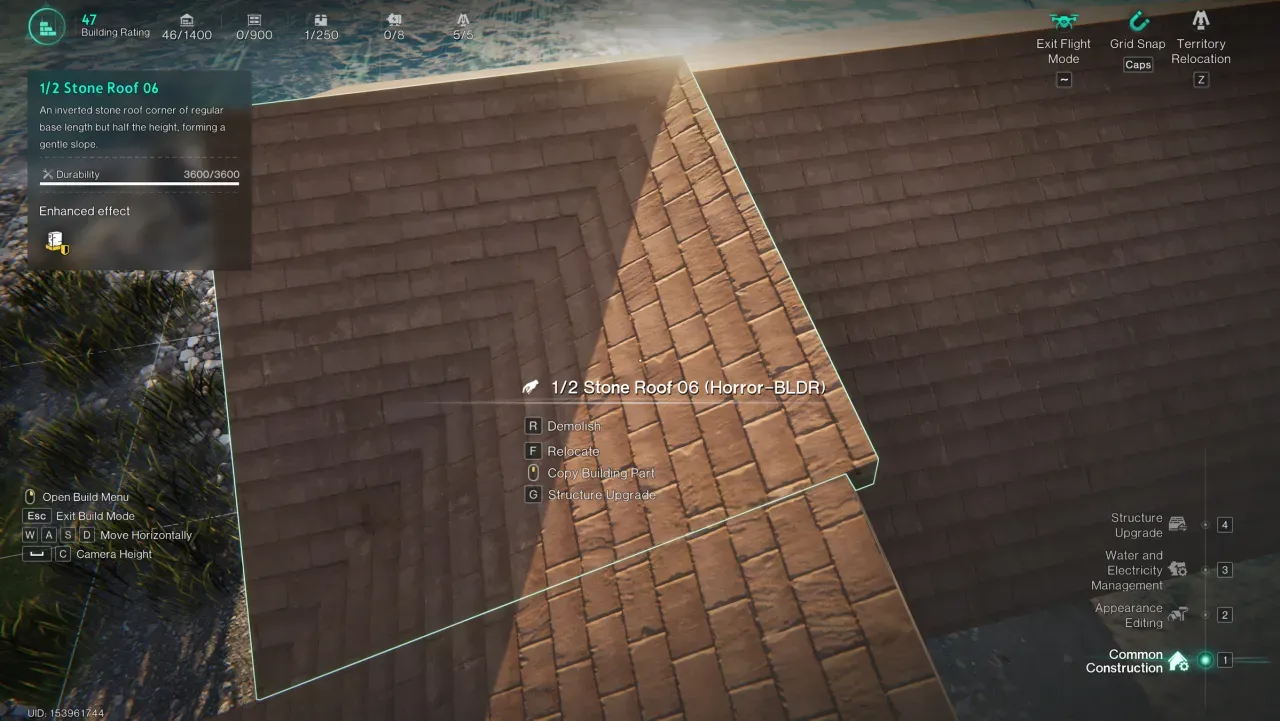
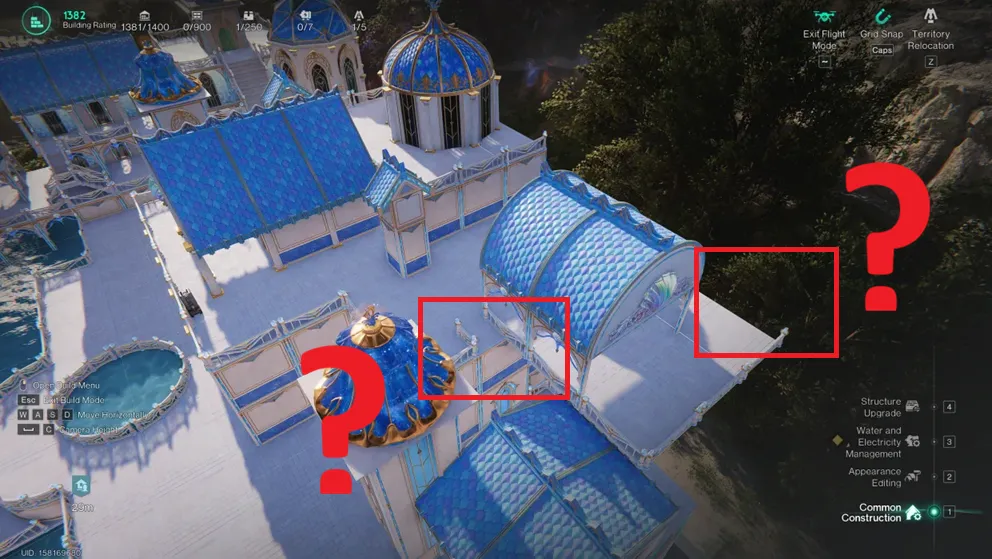
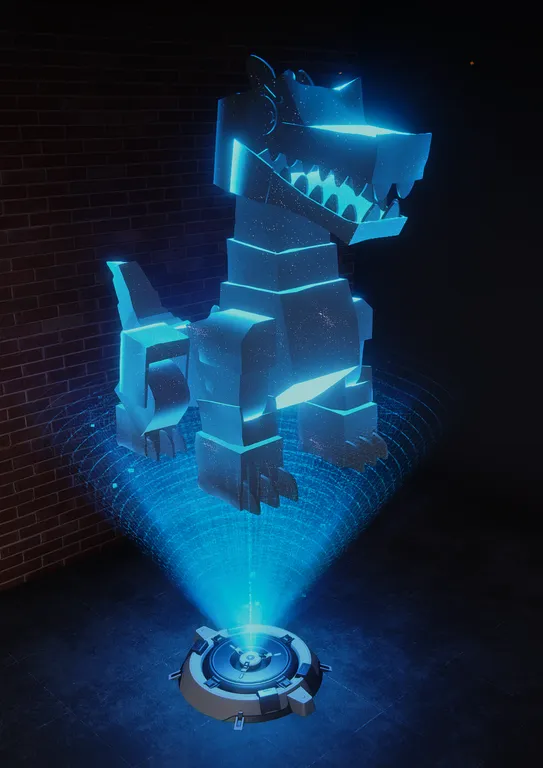
半屋顶06的上边缘过高

bug正式服和自定义服务器暂无已知临时解决方案

OA-5297 · 更新于 29 Oct 2026

▼ 展开完整详情▲ 收起详情
反馈平台编号: B00048分享反馈 ↗

1. 问题/建议描述

半屋顶06的上边缘过高,未与相邻屋顶部件对齐。

2. 临时解决方案

暂无已知临时解决方案。

3. 最新进展

暂无更新。

4. 截图与视频证据
Screenshot evidence submitted for this report
S00047

允许在所有建筑表面使用壁纸

建议正式服和自定义服务器暂无已知临时解决方案

OA-5294 · 更新于 29 Oct 2026

▼ 展开完整详情▲ 收起详情
反馈平台编号: S00047分享反馈 ↗

1. 问题/建议描述

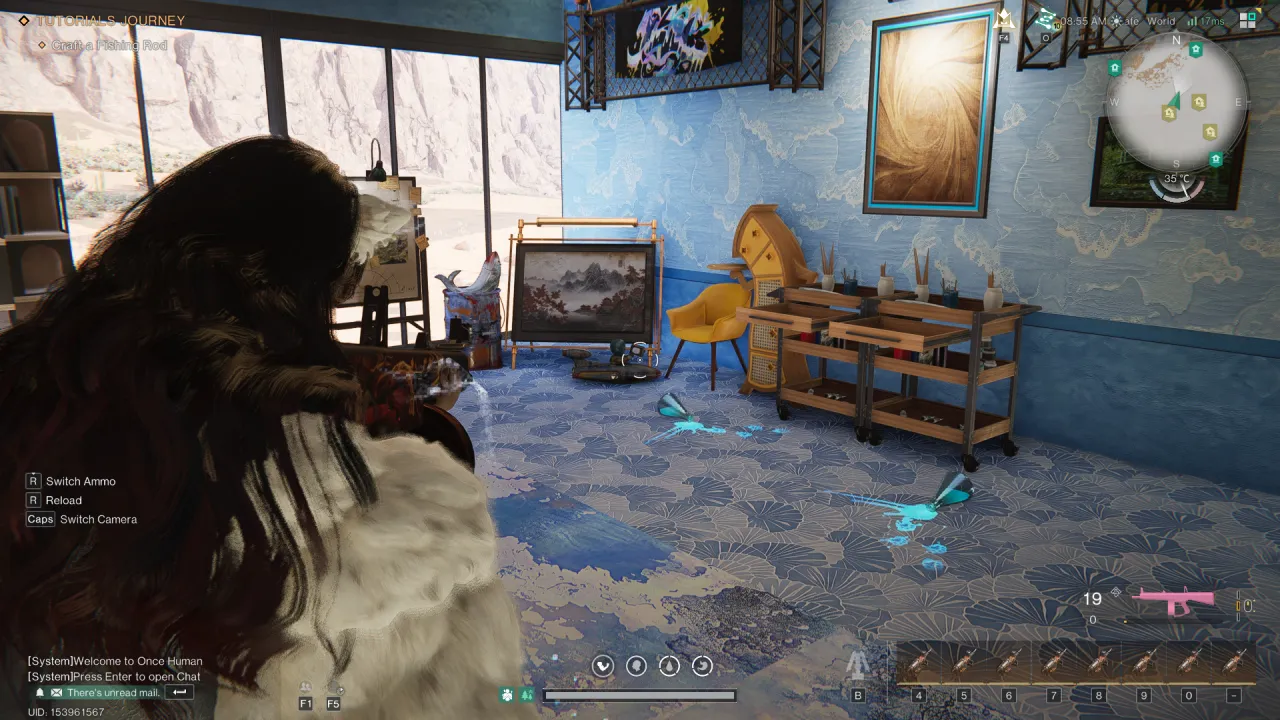
允许在所有建筑表面使用壁纸
最近修复的壁纸“bug”导致天花板壁纸也能用于地板,这证明我们应该允许在所有建筑表面使用壁纸。

2. 临时解决方案

暂无已知临时解决方案。

3. 最新进展

暂无更新。

4. 截图与视频证据
Screenshot evidence submitted for this report
S00046

允许高端PC使用更高的渲染距离

建议正式服和自定义服务器暂无已知临时解决方案

OA-5211 · 更新于 28 Oct 2026

▼ 展开完整详情▲ 收起详情
反馈平台编号: S00046分享反馈 ↗

1. 问题/建议描述

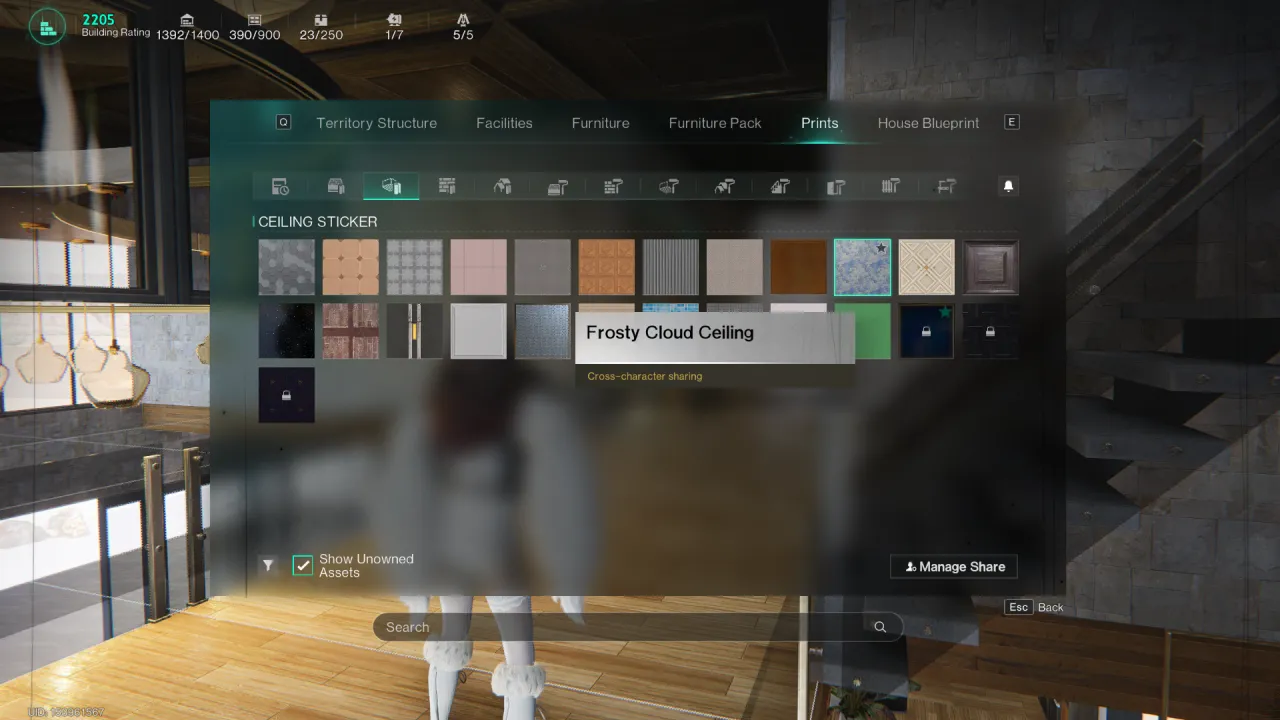
允许高端PC使用更高的渲染距离
渲染距离已被测试并且目前在所有设备(PC/移动/主机)上保持一致,原因是跨平台优化。对于能够在更大距离渲染资产的高端PC,应该有一个设置允许它们这样做。高端PC的视觉质量不应因优化其他平台而被牺牲。
支持此反馈的独立 Co-Dev 编号 (3)

包含标题旁的原始编号。其他编号:

B00035 · S00042

2. 临时解决方案

暂无已知临时解决方案。

3. 最新进展

暂无更新。

4. 截图与视频证据
Screenshot evidence submitted for this report
S00045

$500 Everlight Sea Building Set:修复实际建筑部件

建议正式服和自定义服务器暂无已知临时解决方案

OA-5180 · 更新于 28 Oct 2026

▼ 展开完整详情▲ 收起详情
反馈平台编号: S00045分享反馈 ↗

1. 问题/建议描述

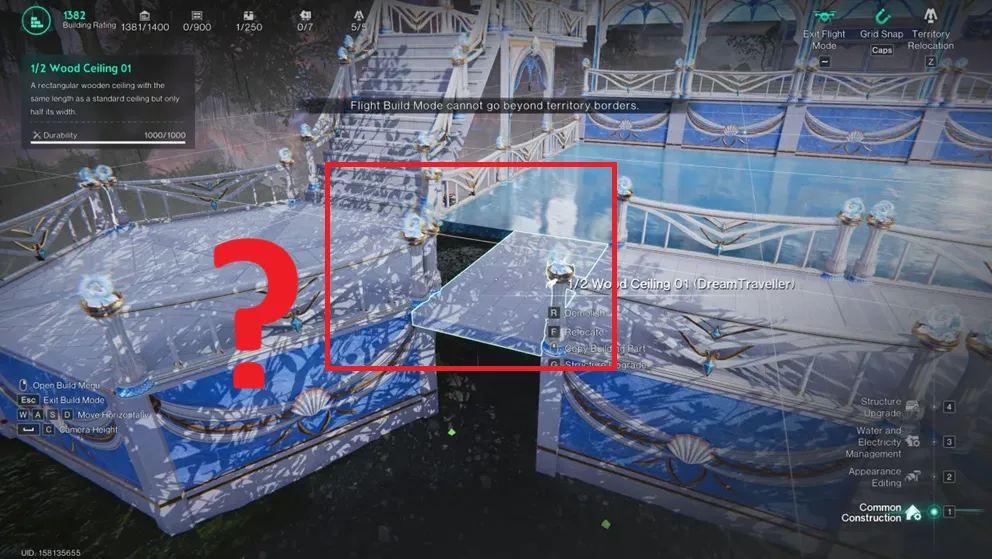
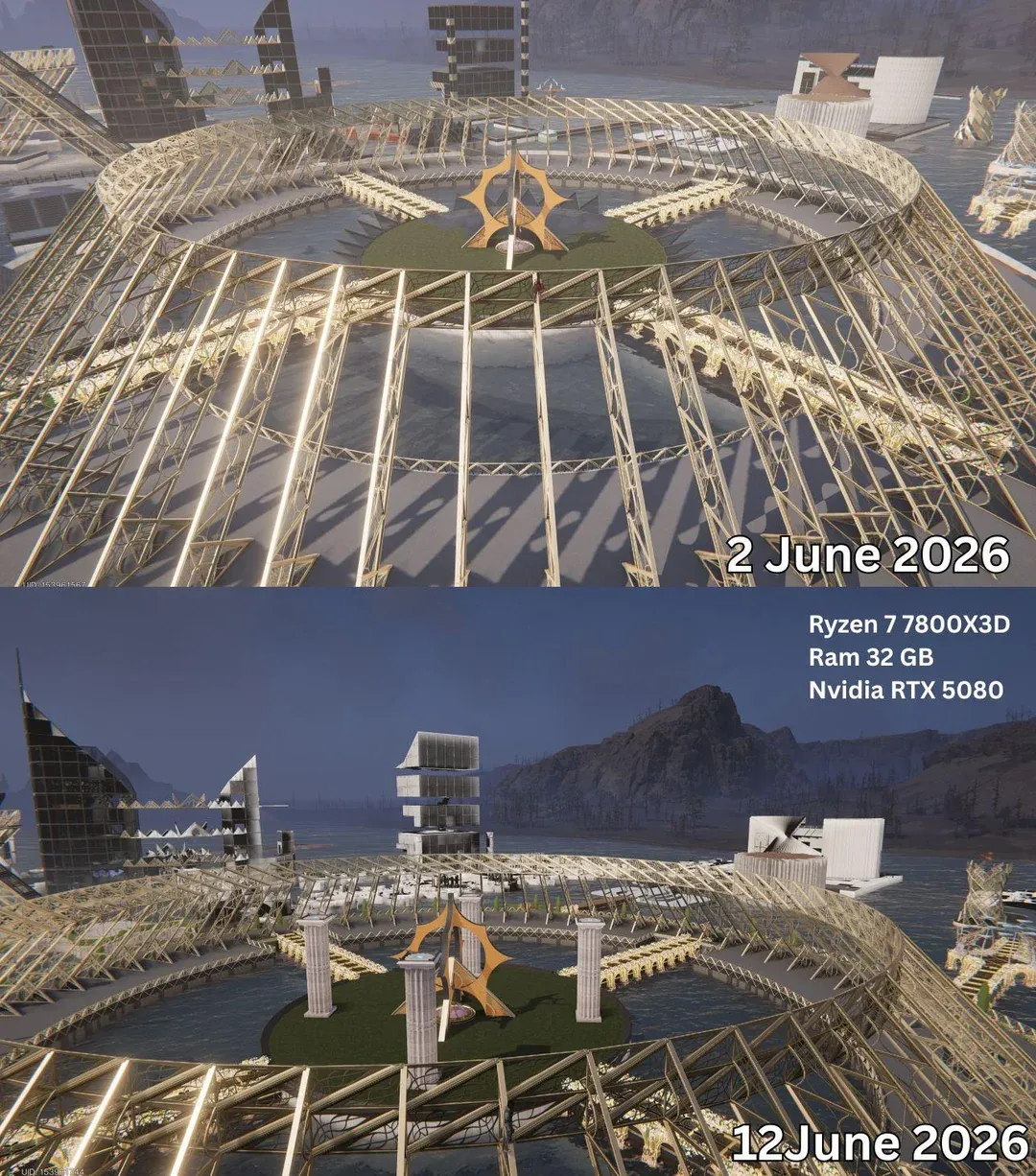
$500 Everlight Sea Building Set:修复实际建筑部件。
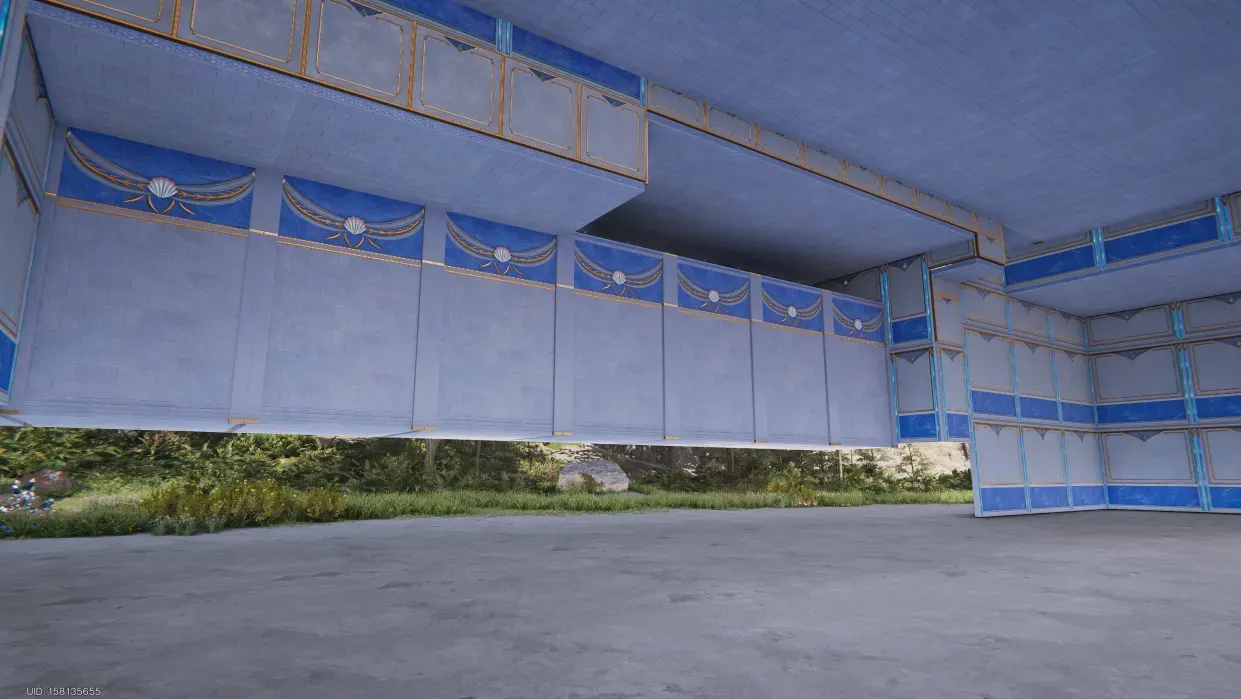
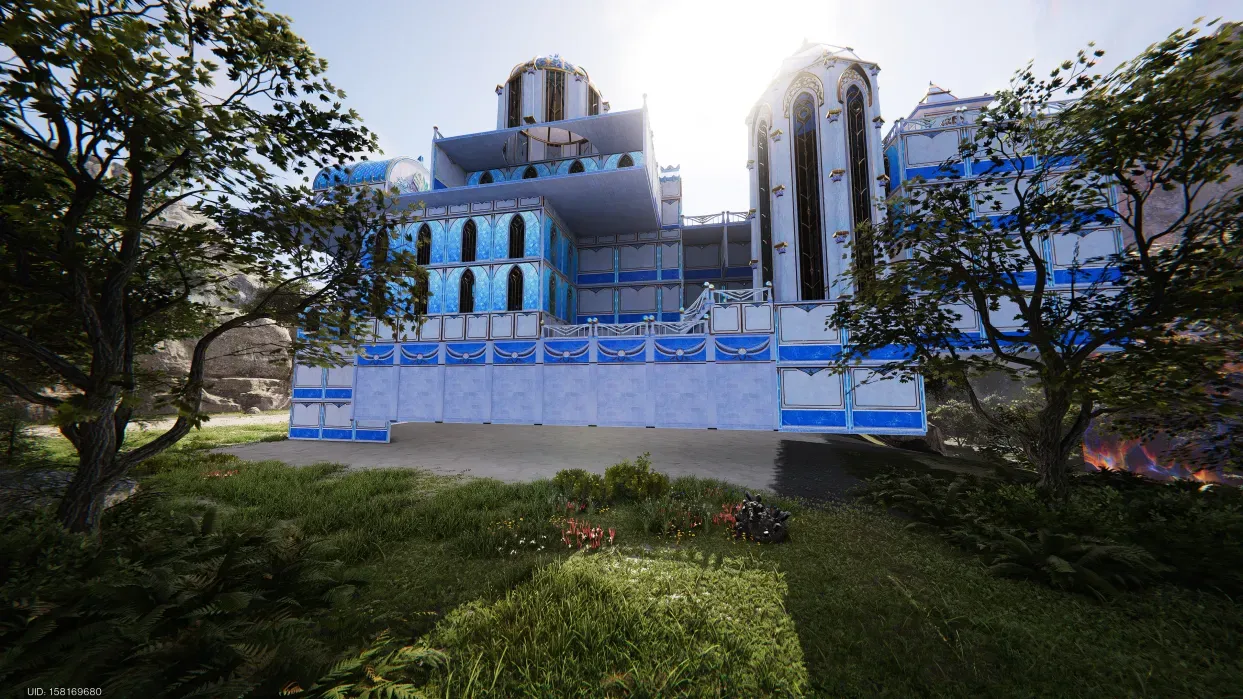
您的解决方案是重新制作蓝图,但并未解决我们关于建筑部件的原始投诉。玻璃面板的色调不匹配,部件出现间隙或卡扣不良,重新制作的蓝图并不是解决方案(如附图所示),使用预制蓝图。我们的投诉可参考此 Reddit 贴文:https://www.reddit.com/r/OnceHumanOfficial/s/6GAVRqthQx

2. 临时解决方案

暂无已知临时解决方案。

3. 最新进展

暂无更新。

4. 截图与视频证据
Screenshot evidence submitted for this report
S00044
★ 社区重点反馈

恢复 3.0.3 版本相机更改或提供经典相机切换。滚轮缩放在电影录制时现在卡顿且感觉笨拙。

建议正式服和自定义服务器 有临时解决方案↓

OA-5175 · 更新于 28 Oct 2026

▼ 展开完整详情▲ 收起详情
反馈平台编号: S00044分享反馈 ↗

1. 问题/建议描述

恢复 3.0.3 版本相机更改或提供经典相机切换。滚轮缩放在电影录制时现在卡顿且感觉笨拙。

自由飞行相机目前仅对自定义服务器管理员开放,严重限制玩家录制电影镜头的能力。

这些控制被更改以适应主机玩家是完全荒谬的,尤其是当控制器相机运动也不流畅时。
3. 两者

2. 临时解决方案

在自定义服务器中使用管理员飞行模式,但如果你不是管理员且没有自定义服务器怎么办?

3. 最新进展

暂无更新。

4. 截图与视频证据

S00043
★ 社区重点反馈

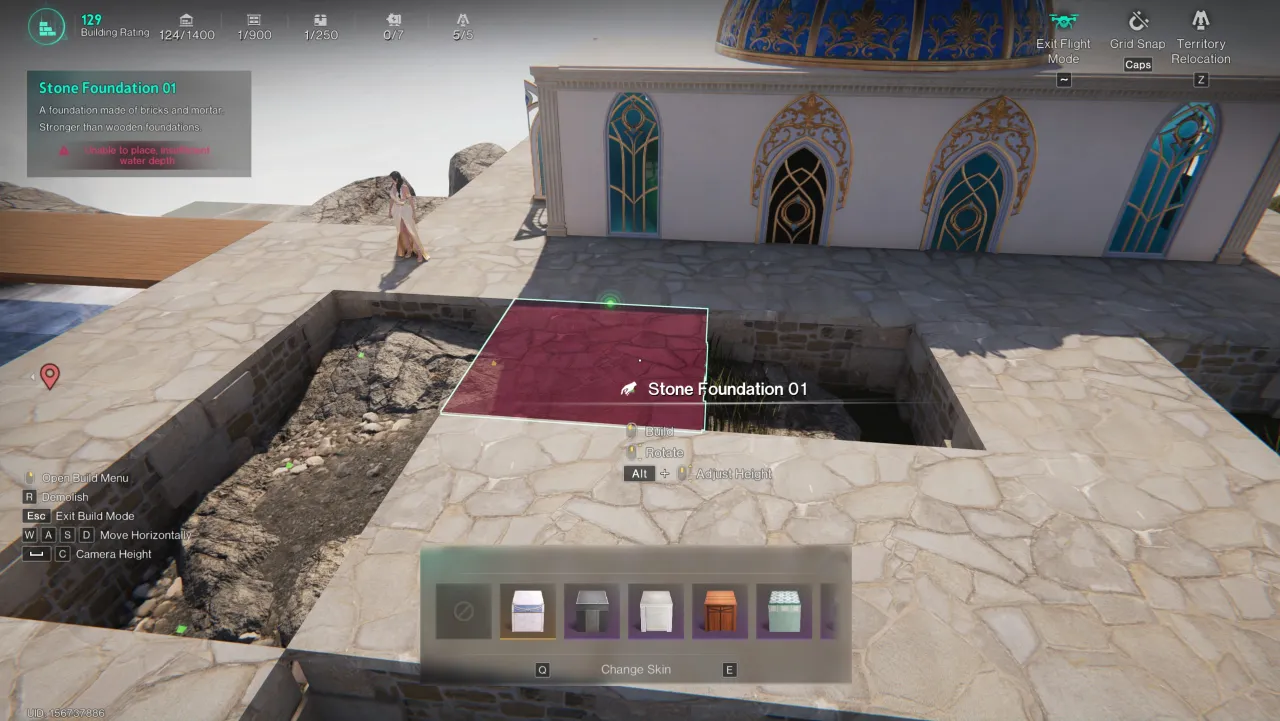
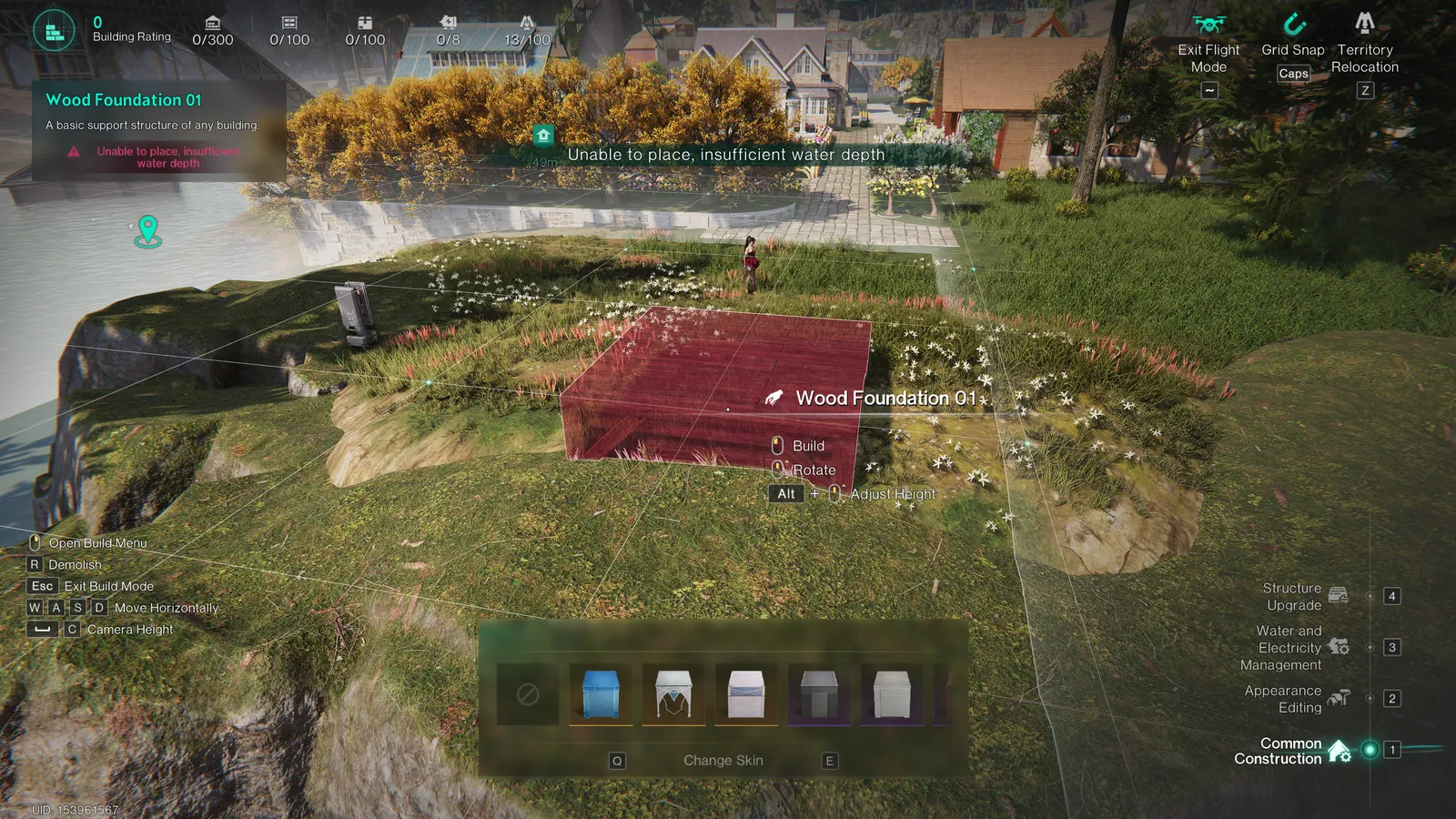
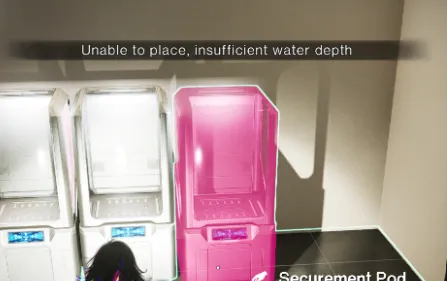
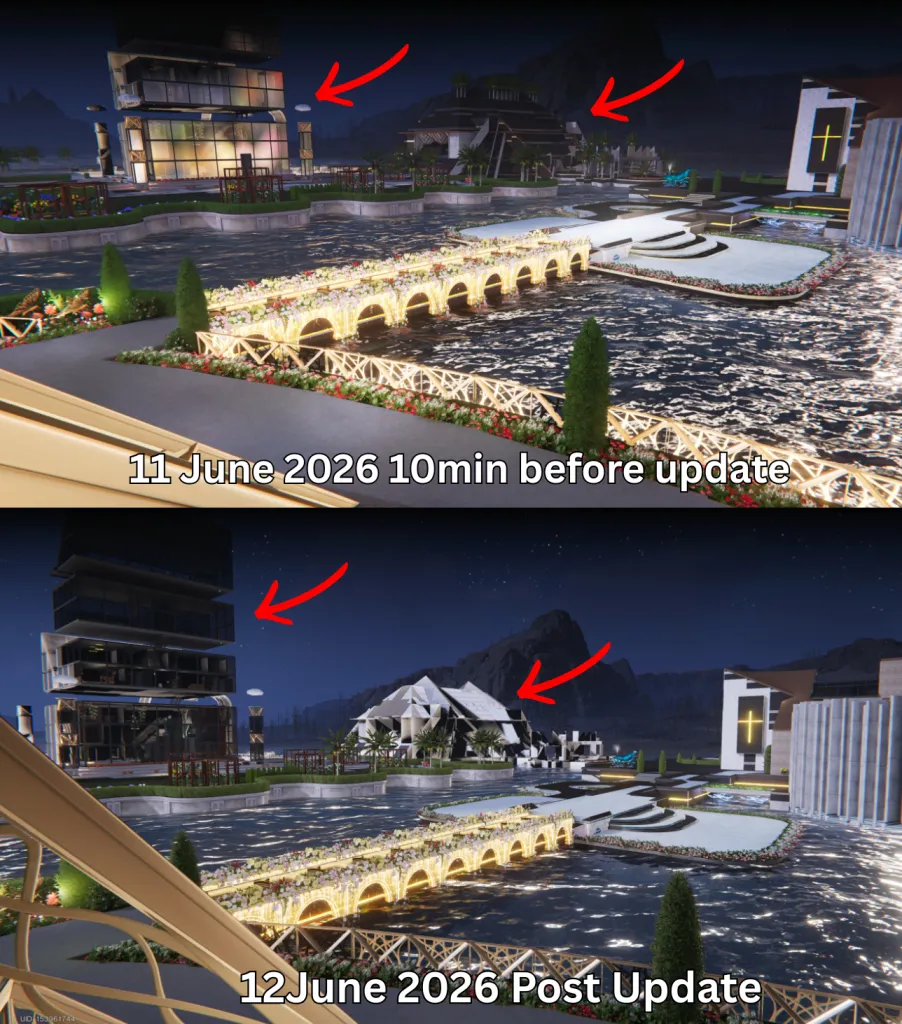
禁用水深或将其增加到100m以允许水下建造!在此限制下存在水域场景没有意义。

建议正式服和自定义服务器暂无已知临时解决方案

OA-5165 · 更新于 28 Oct 2026

▼ 展开完整详情▲ 收起详情
反馈平台编号: S00043分享反馈 ↗

1. 问题/建议描述

在此限制下存在水域场景没有意义。你还在陆地或山丘上遇到不合逻辑的“水深不足”问题。
支持此反馈的独立 Co-Dev 编号 (2)

包含标题旁的原始编号。其他编号:

B00026

2. 临时解决方案

暂无已知临时解决方案。

3. 最新进展

暂无更新。

4. 截图与视频证据
Screenshot evidence submitted for this report

本社区追踪器不会创建官方客服工单。

Submit to Co-Dev & get your Order Number

Complete these steps on the official platform before submitting to this community tracker.

  1. Sign in and link your character

    Open the official Co-Dev platform ↗. Choose Login, then Link Character if prompted. Use the same character when viewing your feedback history.

    Official platform walkthrough showing Login and Link Character controls
  2. Choose Bugs or Suggestions

    Select Report a bug for a fault, or Make a suggestion for a feature request. The official screenshot below illustrates these buttons; the current layout may differ.

    The action buttons are shown along the bottom of the screenshot above.

  3. Describe the issue and submit

    Explain what happened, how to reproduce it and the expected result. For a request, explain the problem and proposed improvement. Add screenshots or video through the upload control, then select Submit. The current text field allows 500 characters; the platform rules state a 100 MB video limit.

    Current blank bug description form showing its 500-character limit
  4. Copy the Order Number

    待处理 历史反馈内容, find the report you submitted and copy its 反馈编号, including the letter. Examples shown below: B00041 for a bug and S00042 for a suggestion. These are examples—use your own number.

    Feedback History examples labelled Order Number S00042 and Order Number B00041
  5. Return here

    Paste your Order Number into the required field, tick that you have submitted the official report, and submit this form for moderator review. Entering a number does not automatically verify it with NetEase.

Sources: official feedback guide and the signed-in platform checked 27 October 2026. For bugs requiring direct support, also use in-game Feedback & Customer Support → Bug Report.

Share this report

Copy this link to share the report.

如何复制Discord用户ID

1

打开设置

⚙ 用户设置 → 高级

电脑:点击用户名旁的齿轮。手机:打开“你”页面,再点设置。

2

开启开发者模式

开发者模式 ✓ ON

在“高级”设置中开启开发者模式。

3

复制你自己的用户ID

◉ 你的个人资料 → ⋯
⧉ 复制用户ID

电脑:在你发出的消息上右键点击头像,选择“复制用户ID”。手机:打开自己的个人资料,点击右上角⋯,选择“复制用户ID”;部分版本位于“复制用户信息”中。

将复制的纯数字ID粘贴到表单。不是用户名、服务器ID或角色UID。以上为操作示意,实际界面可能因Discord版本而不同。

Discord官方操作说明 ↗