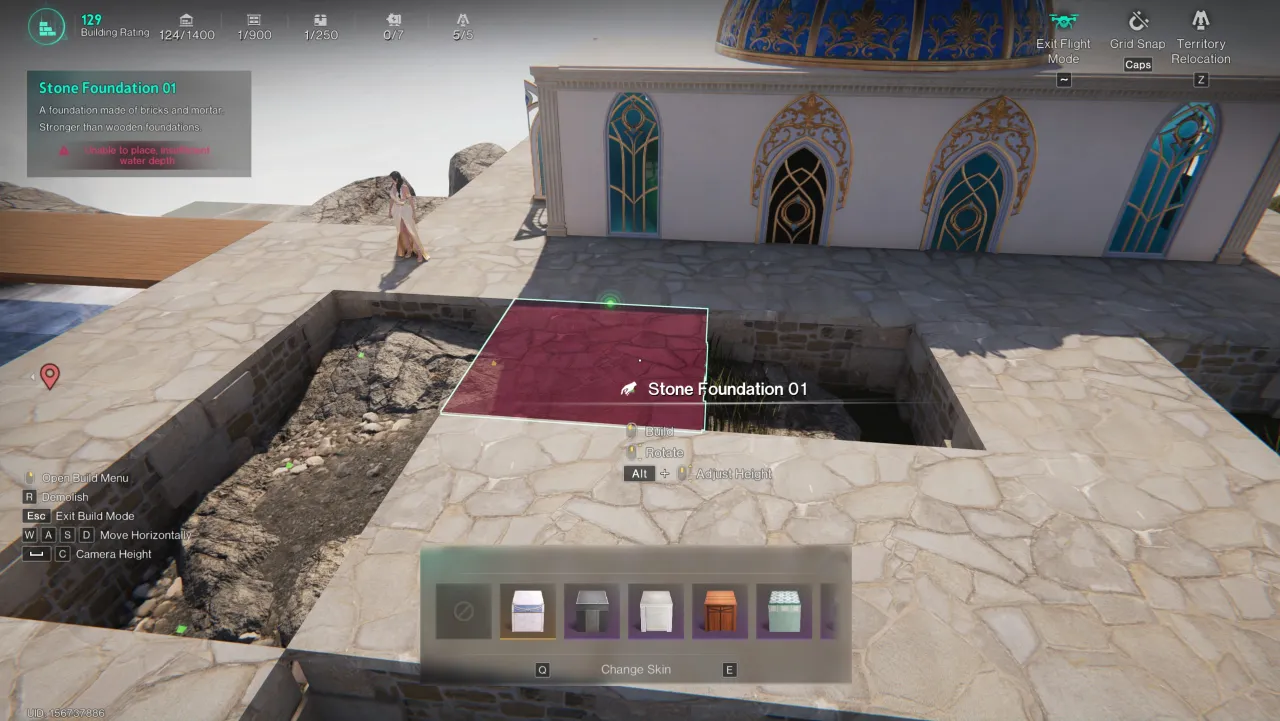
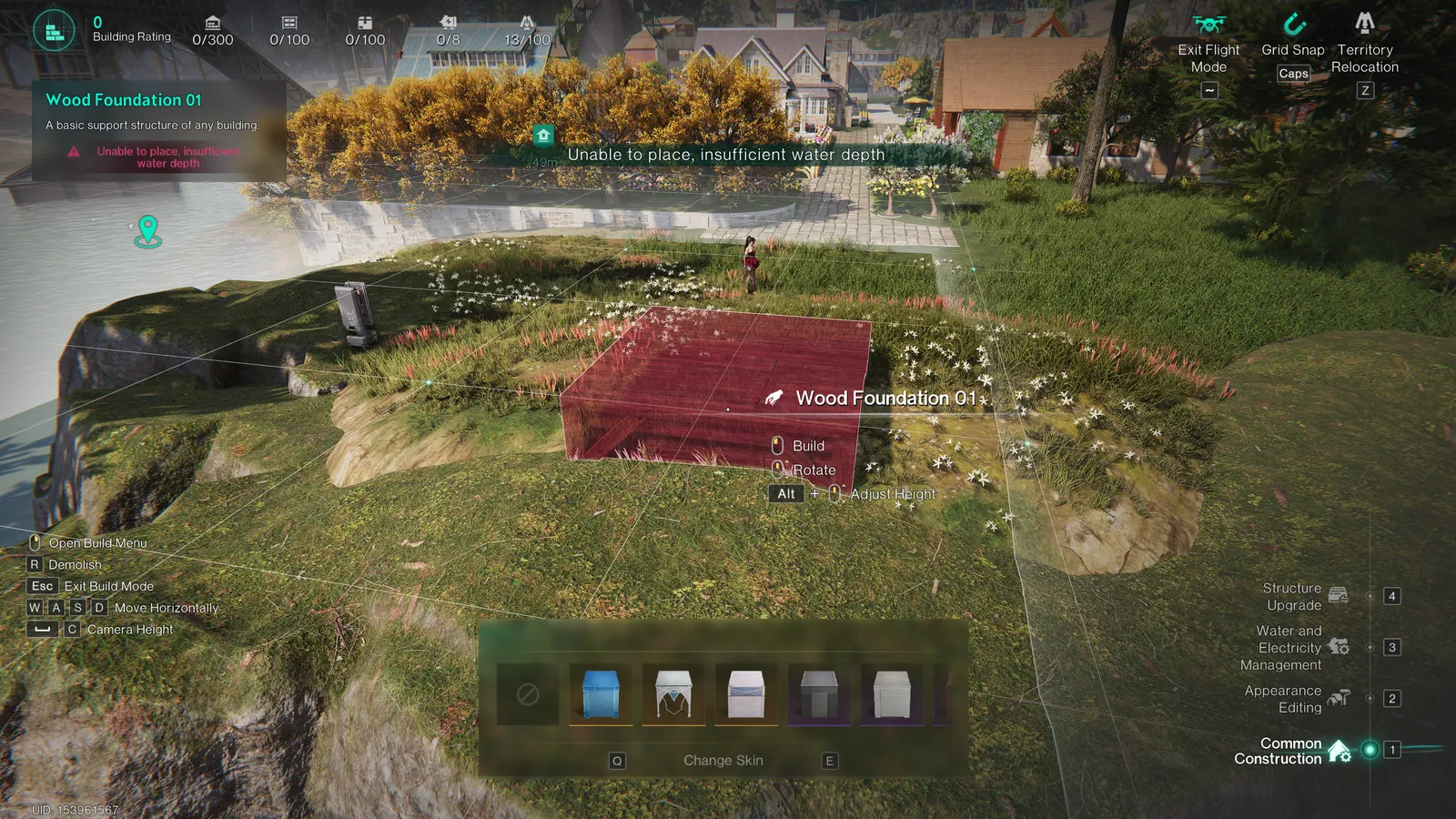
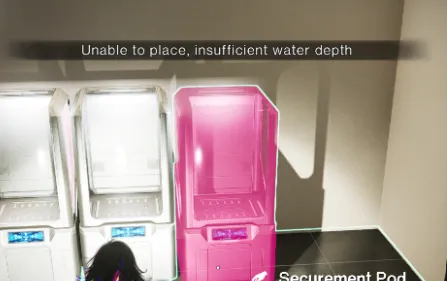
Bugs & Requests社区bug、建议与临时解决方案。 🌐 Language / 语言English简体中文 由社区维护的反馈追踪平台,与《七日世界》官方客服无隶属关系。社区bug与建议追踪仅展示已审核反馈。请在Discord提交bug与建议。+ 加入Discord提交反馈 已加入? 打开 #bugs-n-feedback → 📣 Community Priority Reports社区希望优先处理的bug与建议。查看社区重点反馈 →未解决反馈 (8)bug (2)建议 (6)已归档 (0)临时解决方案 不限临时解决方案有临时解决方案暂无已知临时解决方案 搜索 服务器类型所有服务器类型正式服自定义服务器正式服和自定义服务器Apply filters清除筛选 ☷ 列表▥ 看板Board columns show matching reports on the current page.共2条匹配反馈 · 当前显示2条 · 每页10条导出筛选结果(Excel) S00044★ 社区重点反馈恢复 3.0.3 版本相机更改或提供经典相机切换。滚轮缩放在电影录制时现在卡顿且感觉笨拙。建议正式服和自定义服务器✓ 有临时解决方案↓OA-5175 · 更新于 28 Oct 2026▼ 展开完整详情▲ 收起详情反馈平台编号: S00044分享反馈 ↗1. 问题/建议描述恢复 3.0.3 版本相机更改或提供经典相机切换。滚轮缩放在电影录制时现在卡顿且感觉笨拙。 自由飞行相机目前仅对自定义服务器管理员开放,严重限制玩家录制电影镜头的能力。 这些控制被更改以适应主机玩家是完全荒谬的,尤其是当控制器相机运动也不流畅时。 3. 两者2. 临时解决方案在自定义服务器中使用管理员飞行模式,但如果你不是管理员且没有自定义服务器怎么办?3. 最新进展暂无更新。4. 截图与视频证据▶▶ Play video▲ 收起详情 S00043★ 社区重点反馈禁用水深或将其增加到100m以允许水下建造!在此限制下存在水域场景没有意义。建议正式服和自定义服务器暂无已知临时解决方案OA-5165 · 更新于 28 Oct 2026▼ 展开完整详情▲ 收起详情反馈平台编号: S00043分享反馈 ↗1. 问题/建议描述在此限制下存在水域场景没有意义。你还在陆地或山丘上遇到不合逻辑的“水深不足”问题。支持此反馈的独立 Co-Dev 编号 (2)包含标题旁的原始编号。其他编号:B000262. 临时解决方案暂无已知临时解决方案。3. 最新进展暂无更新。4. 截图与视频证据▲ 收起详情 IDIssueTypePlatform状态WorkaroundUpdatedS00044还原3.0.3版本的镜头改动,或提供经典镜头切换选项;目前鼠标滚轮缩放在录制视频时卡顿、操作不流畅。建议主机待处理Available28 Oct 2026S00043取消水深限制,或将水深上限提高至100米,以支持水下建造。水域剧本不应受到这项限制。建议主机待处理暂无已知临时解决方案28 Oct 2026 No matching approved reports. Try clearing your filters. New submissions remain private until approved. 本社区追踪器不会创建官方客服工单。 关闭 ×Submit to Co-Dev & get your Order NumberComplete these steps on the official platform before submitting to this community tracker.Sign in and link your characterOpen the official Co-Dev platform ↗. Choose Login, then Link Character if prompted. Use the same character when viewing your feedback history.Choose Bugs or SuggestionsSelect Report a bug for a fault, or Make a suggestion for a feature request. The official screenshot below illustrates these buttons; the current layout may differ.The action buttons are shown along the bottom of the screenshot above.Describe the issue and submitExplain what happened, how to reproduce it and the expected result. For a request, explain the problem and proposed improvement. Add screenshots or video through the upload control, then select Submit. The current text field allows 500 characters; the platform rules state a 100 MB video limit.Copy the Order Number待处理 历史反馈内容, find the report you submitted and copy its 反馈编号, including the letter. Examples shown below: B00041 for a bug and S00042 for a suggestion. These are examples—use your own number.Return herePaste your Order Number into the required field, tick that you have submitted the official report, and submit this form for moderator review. Entering a number does not automatically verify it with NetEase.Sources: official feedback guide and the signed-in platform checked 27 October 2026. For bugs requiring direct support, also use in-game Feedback & Customer Support → Bug Report.