Skip to content

BUILD · SHARE · BE INSPIRED · A GLOBAL ONCE HUMAN BUILDING COMMUNITY

OAONCE
ARCHITECT

Bugs & Requests

Community bugs, requests and workarounds.

🌐 Language / 语言

Community-maintained tracker. Not affiliated with official Once Human support.

Public community issue tracker

Approved reports only. Submit bugs and requests in Discord.

+ Join Discord to report Already joined? Open #bugs-n-feedback →

📣 Community Priority ReportsIssues and requests our community wants prioritised.View priority reports →
Clear filters
Board columns show matching reports on the current page.

2 matching reports · 2 shown · 10 per page

S00044
★ Community priority

Revert Version 3.0.3 Camera Changes or give us a classic camera toggle. Scroll-wheel zoom now stutters and feels clunky during cinematic recording.

RequestLive & custom servers Workaround available↓

OA-5175 · Updated 28 Oct 2026

▼ Show full details▲ Collapse details
Co-Dev: S00044Share report ↗

1. Description

Revert Version 3.0.3 Camera Changes or give us a classic camera toggle. Scroll-wheel zoom now stutters and feels clunky during cinematic recording.

Free-fly camera is currently only available to custom server admins, severely limiting players' ability to record cinematic footage.

It's absolutely absurd that these controls were changed to accommodate console players, especially when the controller camera movement isn't smooth either.
3. Both

2. Workaround

Use admin fly mode in custom server, but what if u are not admin & u don't own custom server?

3. Latest update

No update yet.

4. Evidence

S00043
★ Community priority

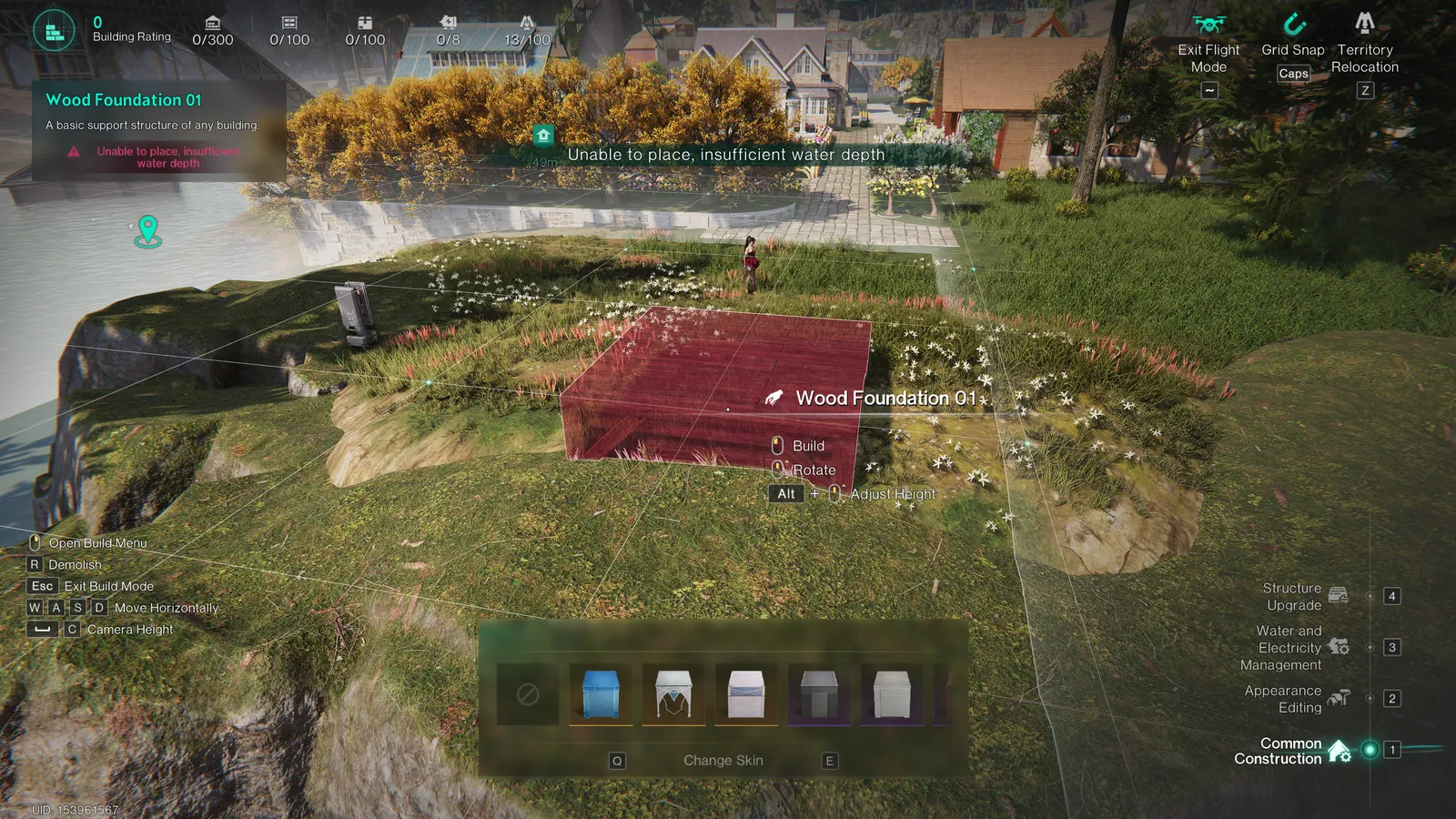
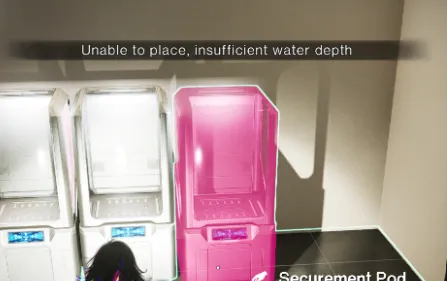
Disable water depth or increase it to 100m to allow for underwater building! It doesn't make sense to have a water scenario with this restriction in place.

RequestLive & custom serversNo known workaround

OA-5165 · Updated 28 Oct 2026

▼ Show full details▲ Collapse details
Co-Dev: S00043Share report ↗

1. Description

It doesn't make sense to have a water scenario with this restriction in place. You also have a illogical "Insufficient Water Depth Issue" even on land or hill.
Unique Co-Dev IDs supporting this report (2)

Includes the original ID beside the title. Additional IDs:

B00026

2. Workaround

No known workaround yet.

3. Latest update

No update yet.

4. Evidence
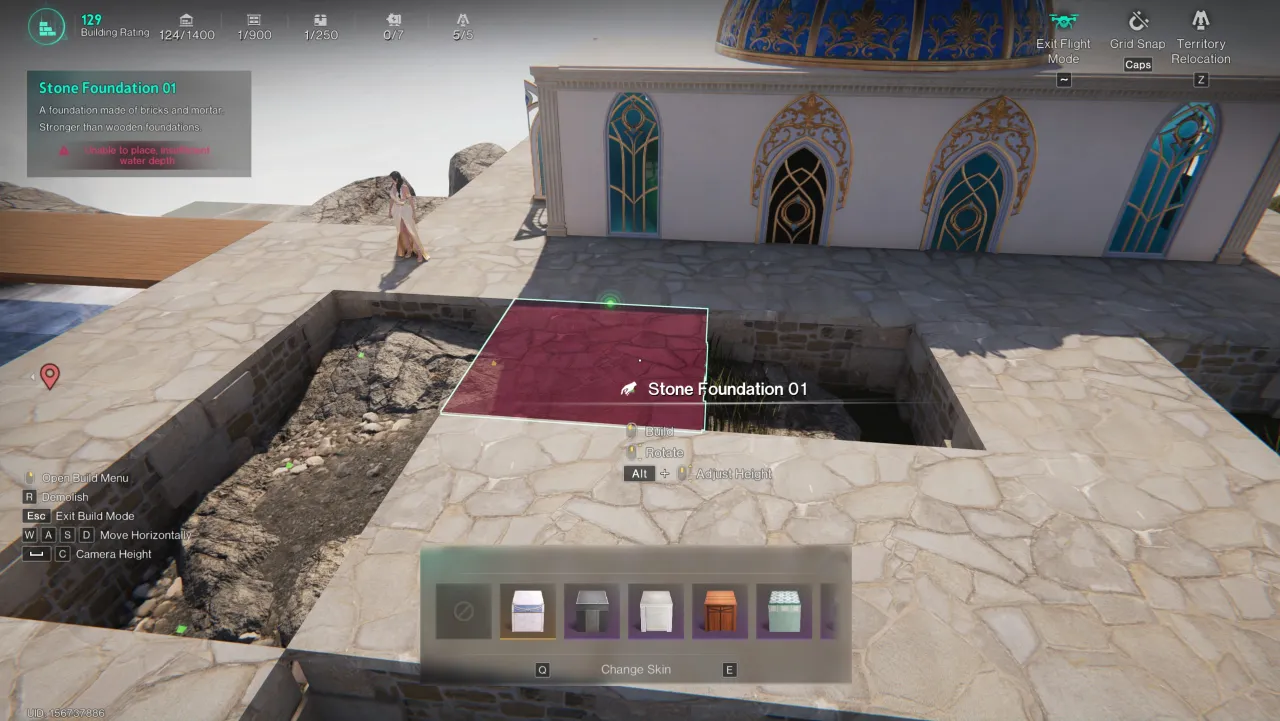
Screenshot evidence submitted for this report

This community tracker does not open an official support ticket.

Submit to Co-Dev & get your Order Number

Complete these steps on the official platform before submitting to this community tracker.

  1. Sign in and link your character

    Open the official Co-Dev platform ↗. Choose Login, then Link Character if prompted. Use the same character when viewing your feedback history.

    Official platform walkthrough showing Login and Link Character controls
  2. Choose Bugs or Suggestions

    Select Report a bug for a fault, or Make a suggestion for a feature request. The official screenshot below illustrates these buttons; the current layout may differ.

    The action buttons are shown along the bottom of the screenshot above.

  3. Describe the issue and submit

    Explain what happened, how to reproduce it and the expected result. For a request, explain the problem and proposed improvement. Add screenshots or video through the upload control, then select Submit. The current text field allows 500 characters; the platform rules state a 100 MB video limit.

    Current blank bug description form showing its 500-character limit
  4. Copy the Order Number

    Open Feedback History, find the report you submitted and copy its Order Number, including the letter. Examples shown below: B00041 for a bug and S00042 for a suggestion. These are examples—use your own number.

    Feedback History examples labelled Order Number S00042 and Order Number B00041
  5. Return here

    Paste your Order Number into the required field, tick that you have submitted the official report, and submit this form for moderator review. Entering a number does not automatically verify it with NetEase.

Sources: official feedback guide and the signed-in platform checked 27 October 2026. For bugs requiring direct support, also use in-game Feedback & Customer Support → Bug Report.

Share this report

Copy this link to share the report.

How to copy your Discord user ID

1

Open settings

⚙ User Settings → Advanced

Desktop: select the cog beside your username. Mobile: open You, then Settings.

2

Enable Developer Mode

Developer Mode ✓ ON

Turn on Developer Mode in Advanced settings.

3

Copy your own user ID

◉ Your profile → ⋯
⧉ Copy User ID

Desktop: right-click your avatar on a message you sent and select Copy User ID. Mobile: open your profile, tap ⋯, then Copy User ID; some versions place this under Copy User Info.

Paste the copied number into the form. Use your user ID, not a username, server ID or game character UID. These illustrations are a guide; Discord layouts can vary by version.

Official Discord instructions ↗